KeyNesta: a two factor authenticator that survives hundreds of codes
A two factor authenticator for people whose list of six digit codes outgrew their phone.
LiveTwo factor authenticator with encrypted backup and sync
Our role
What BitsSolved did
- Product and backend
- Web app
- Native iOS app
- Native Android app
- Encrypted sync
- Product website, docs and policies
Why authenticator apps break at scale
Every authenticator app is designed for the person with five codes: a bank, an email account, one login for work. Scroll once and you are there. Open the same app as someone running a business, an agency, or a set of accounts on behalf of clients, and it is a flat alphabetical list of two hundred identical six digit numbers, with nothing to tell a client’s production console apart from a personal shopping account.
The second problem is the more serious one. Those codes are the last thing standing between an attacker and every account they protect, so any backup a provider can read is a single place from which all of them can be taken at once. A number of authenticators solve the convenience problem precisely by giving that up, and the user is rarely told which trade they just made.
KeyNesta had to solve both at the same time: organisation that still works at hundreds of entries, and a backup and sync that the company hosting it cannot decrypt.
- Sector
- Security and identity software
- Platforms
- Web, native iOS, native Android
- Model
- Encrypted on the device before sync
- Scope
- Product, platform apps and backend
What we built
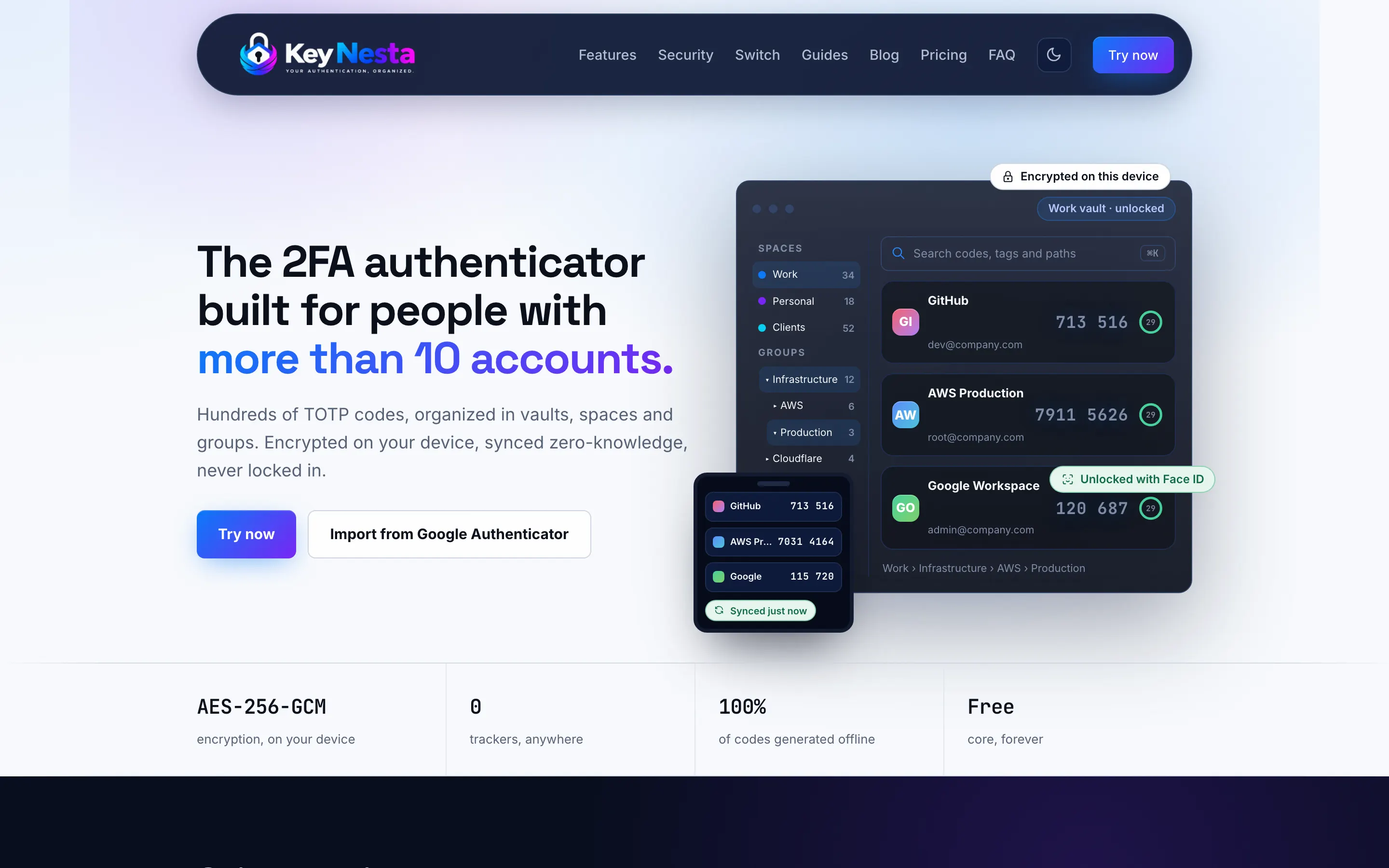
Vaults, spaces and groups
Three levels of organisation instead of one flat list, so codes can be arranged the way the accounts actually are: personal apart from work, each client apart from the next.
Encryption on the device
Secrets are encrypted before they leave the device. What the sync service stores is ciphertext it has no key for, which means a breach of the service is not a breach of the codes.
Sync across three platforms
The same vault on a laptop, an iPhone and an Android phone, with the phone still generating valid codes when there is no network at all.
One tap import
Existing codes come across from Google Authenticator in a single import, rather than being re-enrolled one account at a time, which is the reason most people never move.
Multiple vaults
Separate vaults for separate contexts, so a shared work vault does not have to sit in the same place as personal accounts.
A real website behind it
Product pages, documentation and policies built to the same standard as the app, because a security product that looks unfinished does not get installed.
The decisions that shaped it
- 01
Encrypt first, and accept what that costs
Encrypting on the device before sync is the whole product, and it removes options that make a product easier to sell. There is no server side search across entries, no password reset that recovers a vault, and no support process that can read a user’s codes to help them. Every one of those is a feature request that will eventually arrive, and every one of them has to be answered no. Deciding that at the start is much cheaper than deciding it later.
- 02
Three groupings, not one folder
A single folder level solves the problem for about thirty entries and then fails again. Vaults separate contexts that should never mix, spaces separate areas of work, and groups do the ordinary tidying inside them. The structure was designed against the hardest case, somebody holding client credentials, rather than against the demo.
- 03
Native on both phones, one backend
An authenticator lives in the moments where a person is already irritated: mid login, one hand, thirty seconds on the clock. That is where a wrapped web app is noticeably worse, so both phone apps are native and share one Go backend. The advice is not always this, and on a content or forms product we say so, but here the interaction is the product.
How it is built
- Web
- ReactVite
- Mobile
- Native iOSNative Android
- Backend
- GoEncrypted sync
- Security
- TOTPOn-device encryption
How the engagement ran
- 01
Discovery
A working session on your product and its architecture, written up as scope, screens and a fixed quote for the first phase. Nothing is chargeable before that document exists.
- 02
Build in the open
Working software you can open while it is being built, instead of a status report, so the brief can change while changing it is still cheap.
- 03
Launch
Deployment with monitoring, backups, TLS and security headers, on infrastructure the client owns.
- 04
Scale
A maintenance window for fixes, monitoring and improvements, or a full handover to your own engineers with documentation. You can stop after any phase and keep everything built so far.
If security is the product, not a feature
Building software where a breach is the failure mode is a different engagement from building software where a bug is the failure mode. The decisions arrive earlier, there are fewer of them available, and most of them cannot be reversed after launch.
Decide the trust model first
What your servers can read determines your support process, your recovery flow and your marketing. It is not an implementation detail to settle later.
Design against the hardest user
The person with three hundred entries finds every weakness in the structure. The person with five finds none of them.
Plan the migration in
A security product that cannot import from the one it replaces does not get adopted, however much better it is.
The services behind it:Mobile App DevelopmentCustom SaaS DevelopmentCloud and DevOps
Questions people ask before starting one of these
More case studies
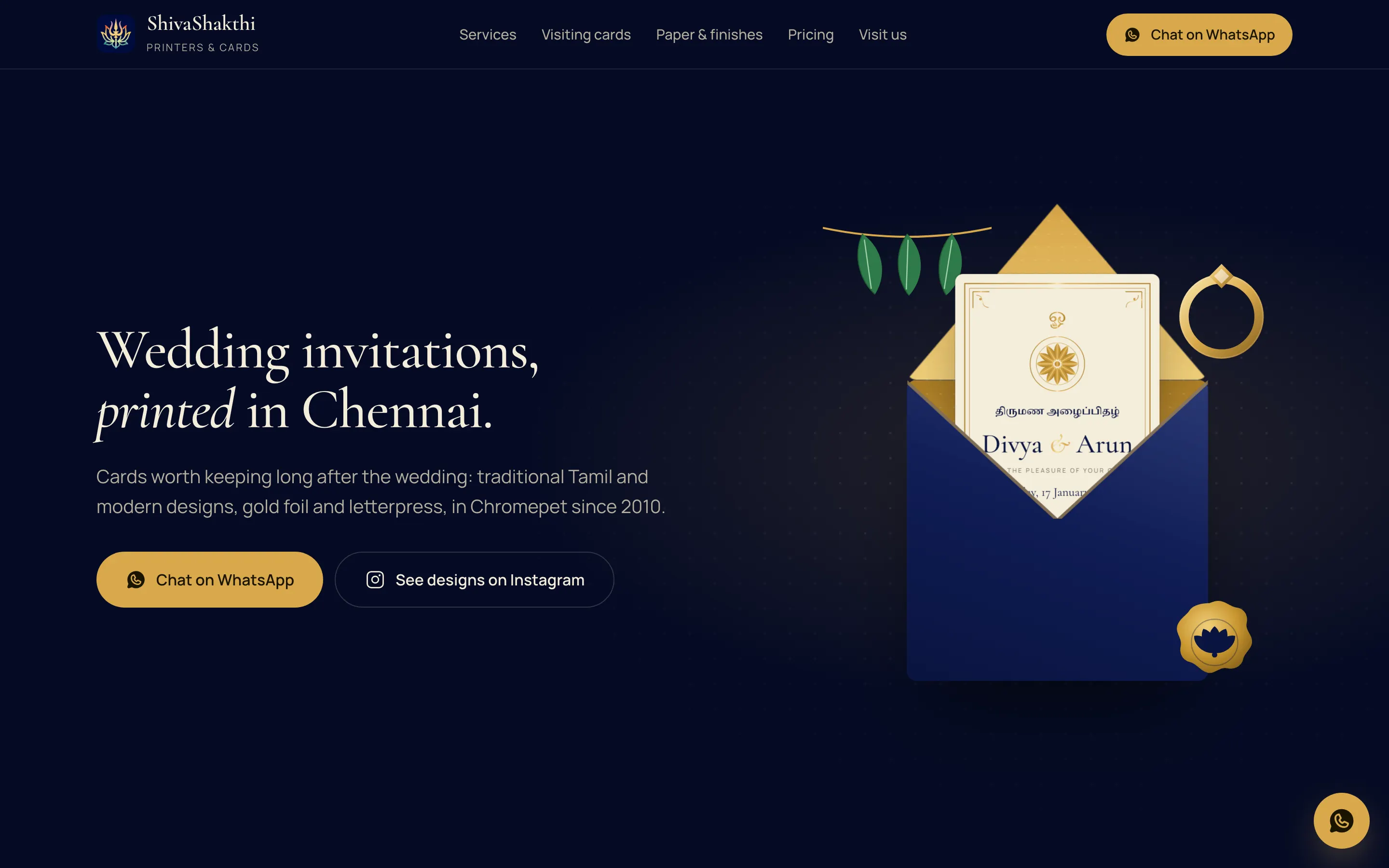
ShivaShakthi Printers
Local business website built to be found in its own city
Want something like this built?
The first call is free and is mostly us asking questions. After it you get the scope in writing and a fixed quote for the first phase.
What happens next
- You send the formTell us the problem.
- We reply by emailWith any questions.
- A free first callThen the scope in writing.